Appearance
Release notes - 7 November 2024
New features
Added: Steps for collecting
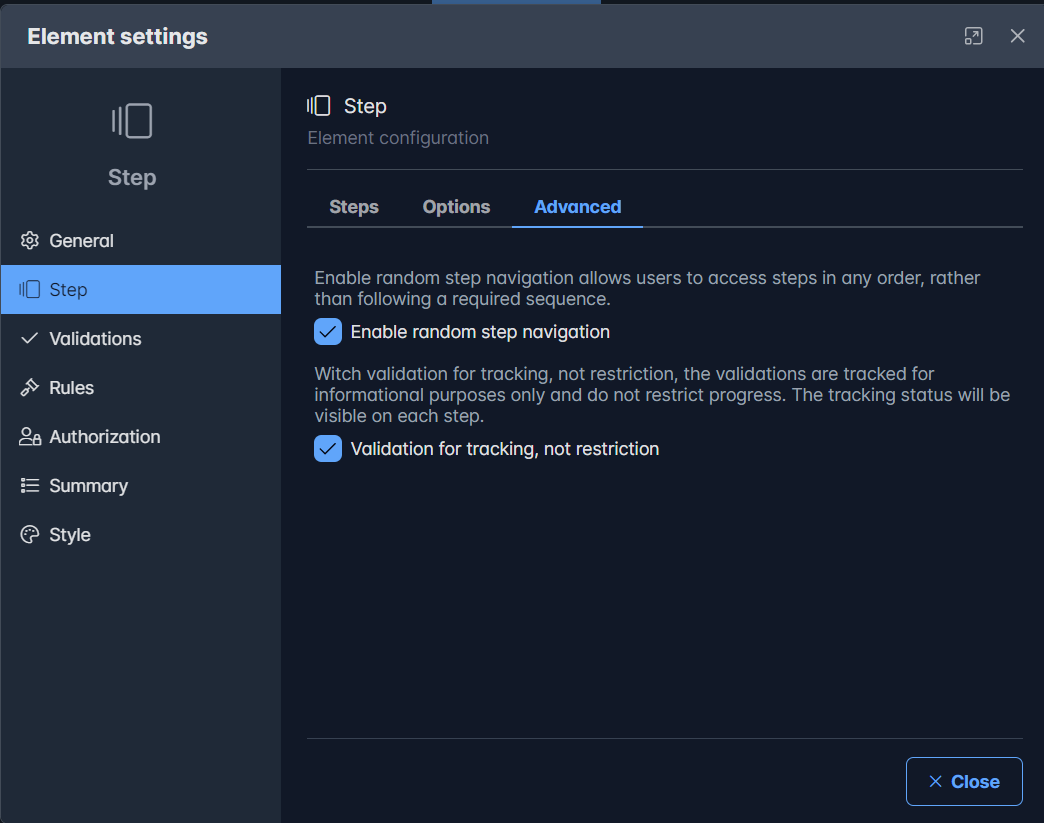
Two options are added to the step element:
- Enable random step navigation Enable random step navigation allows users to access steps in any order, rather than following a required sequence.
- Validation for tracking, not restriction Witch validation for tracking, not restriction, the validations are tracked for informational purposes only and do not restrict progress. The tracking status will be visible on each step.
These options are added to the new tab 'Advanced' in the configuration.
When executing, and both options are set, you can navigatie random through the steps and the step cion indicates if there are validation errors. The page can still be saved (caused by the option 'Validation for tracking, not restriction')
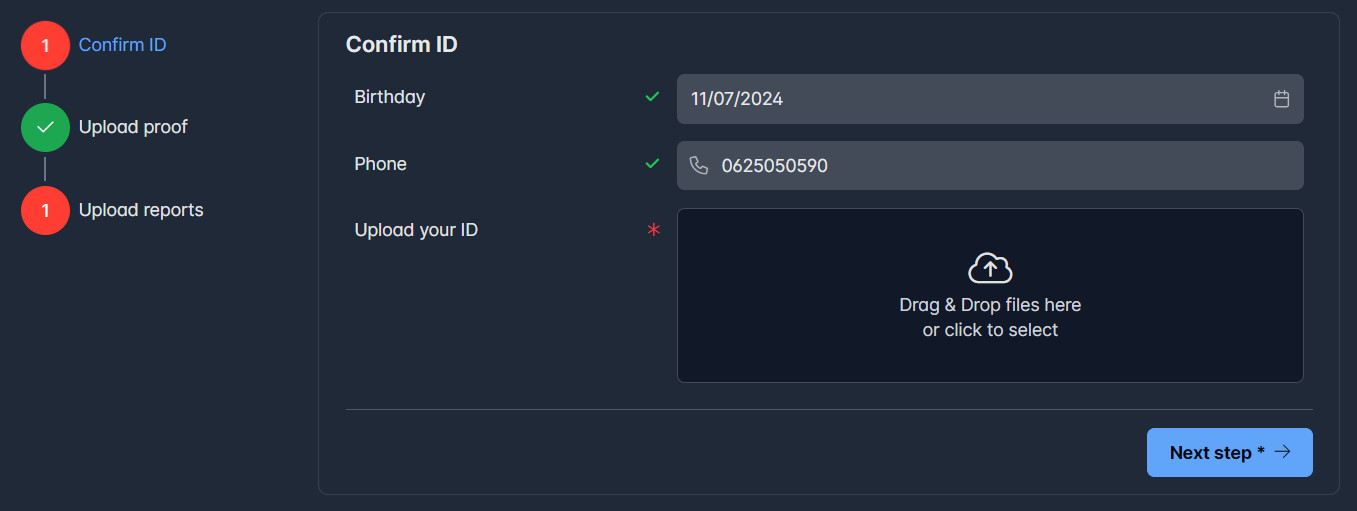
In this example the ID still needs to be uploaded, the evidence is already uploaded (step 2) and I need to upload 1 report in step 3.
Add option to attachment for using a dropzone
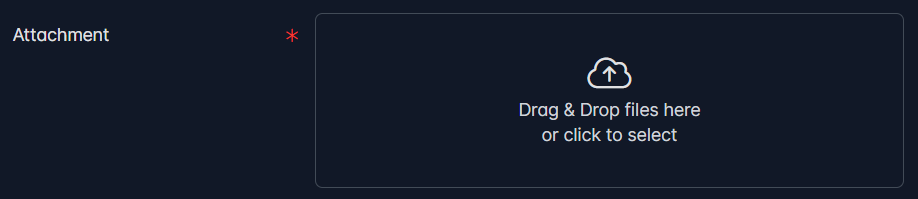
The option 'Large dropzone' is added to the attachment to render a large dropzone box for uploading files. 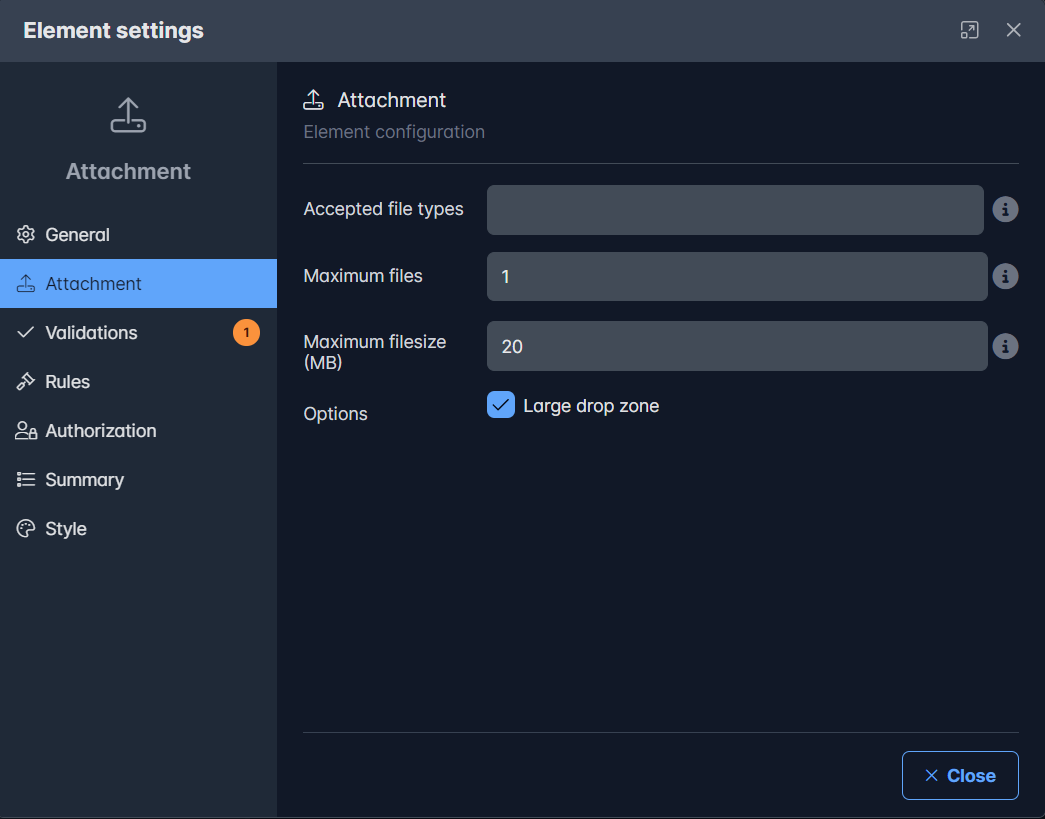
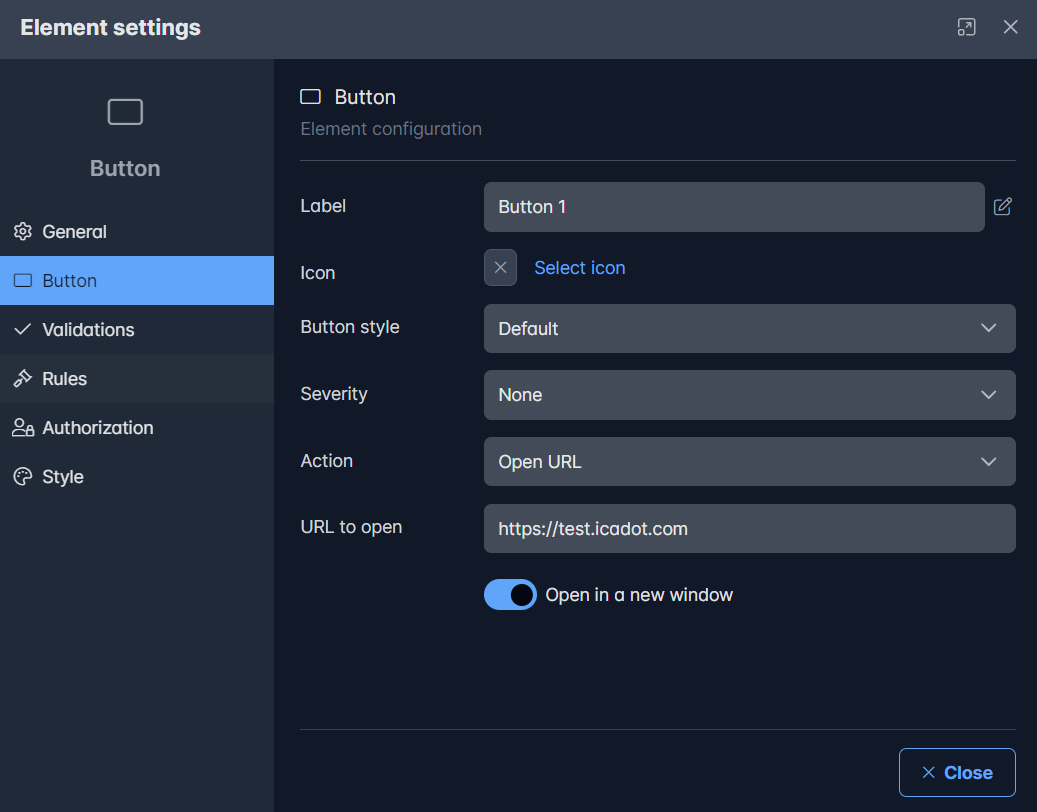
Add action: open an url
A button can now also use a url to navigate to. Optionally, this can be opened in a new window or not.
Solved issues
Several known issues are solved.
| # | Issue |
|---|---|
| #61 | Portal sidemenu - width changed sometimes |
| #62 | Attachment element drag & drop was not working |
| #63 | Document generation button not working |