Appearance
Release notes - August 7, 2025
Improved - Document generation
The document generation management is updated and the possibility to add PDF files to the created document is added.
Overview 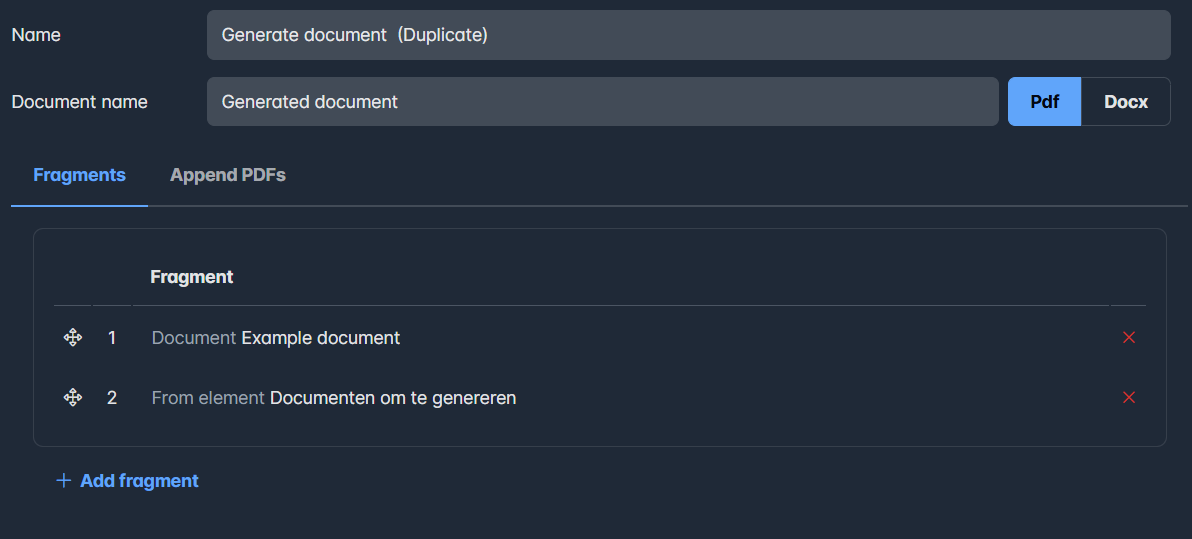
- Name - Name of the document generation (only for internal use in the studio)
- Document name - The name of the generated document
- PDF/Docx - The document format to create
- Tab Fragments - List of fragments to use for generating this document
- Tab Append PDF's - List of fixed or by user uploaded PDF documents to add after the generation to a PDF. This option is only available with document format PDF.
Configure the document fragment 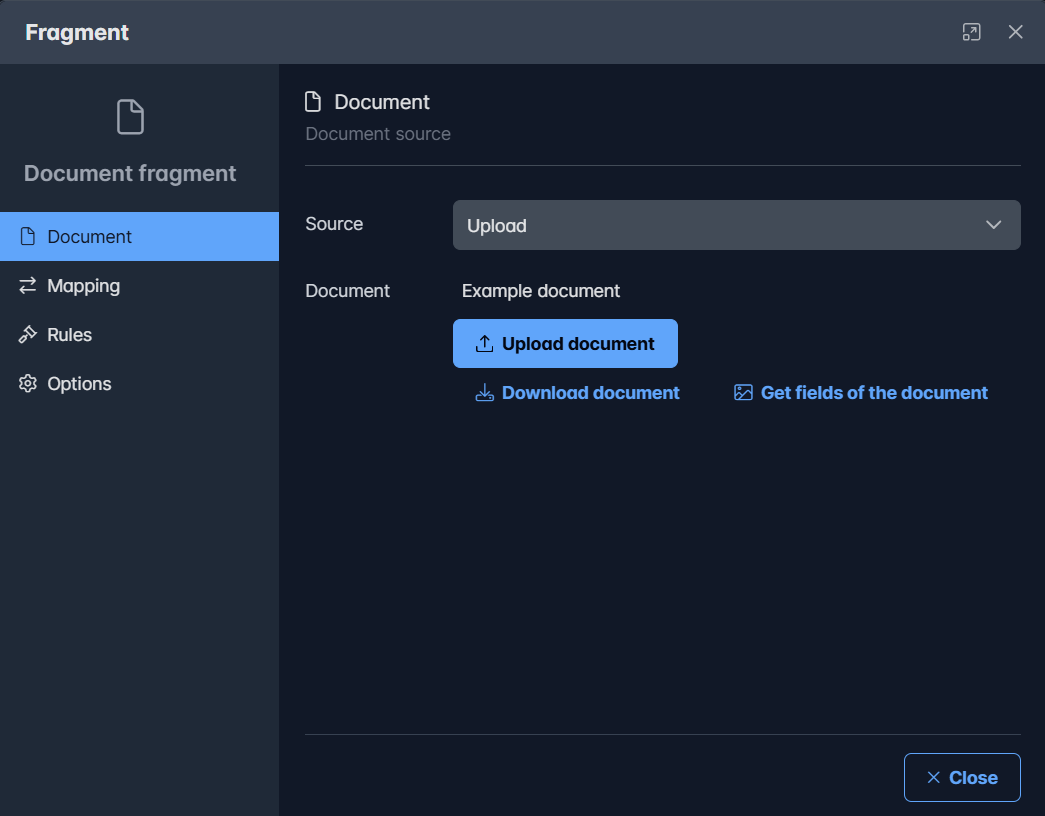
- Document - to upload the document to use
- Mapping - Map the document fields to Icadot elements
- Rules - When to add this fragment
- Options - Options for adding this fragment to the generated document
Configure Append PDF's 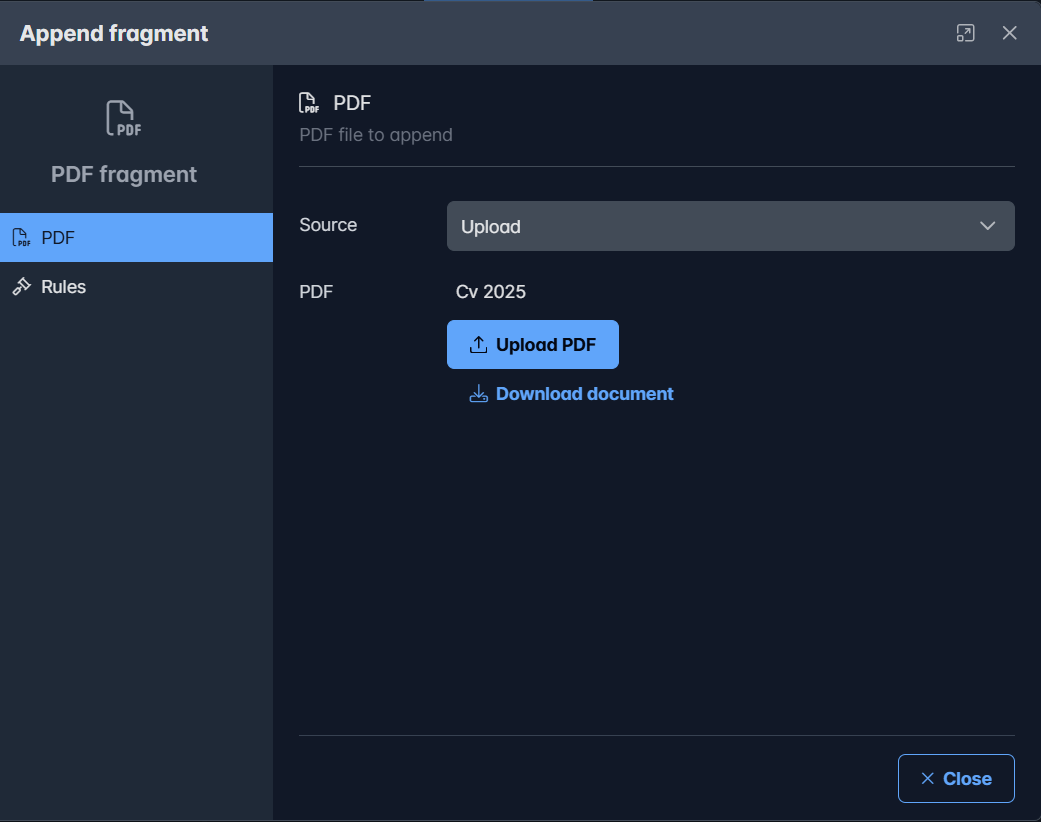
- Source - The source of the PDF. This can be fixed or an attachment element of the page can be used. Only PDF files will be added.
- Rules - When to append this PDF file
Improved - Create Page with AI
The AI page creation is updated
- updated model that is more specific and goed deeper
- more type of elements are used for creating pages
- adds required validations with validation messages
- adds hints when usefull
- upload a document to create a page
- enhance your prompt for optimizing your request
- optional language for creating the page in a specific language
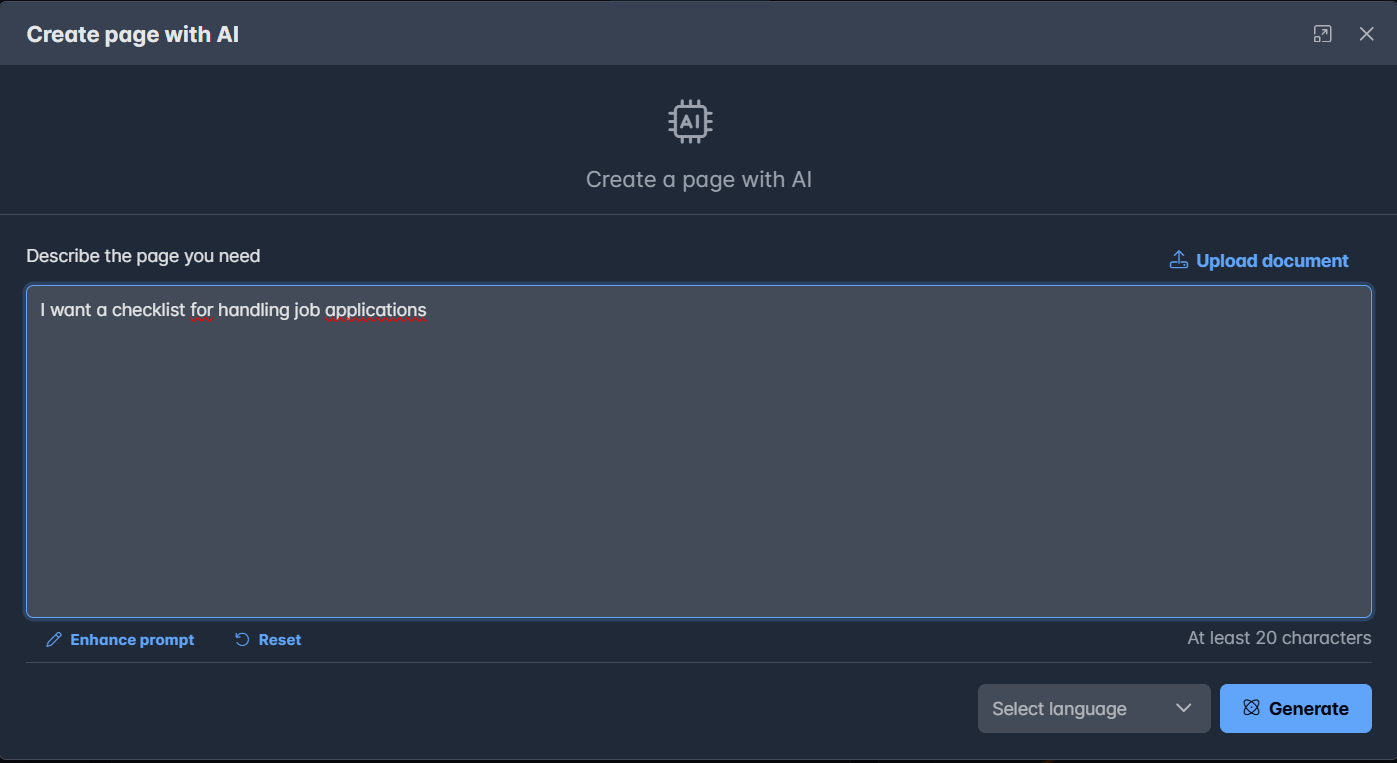
- Upload document - Upload a document. This will be used to create a page.
- Describe... - the prompt for crating the page
- Enhance prompt - Enhance the prompt for better results
- Reset - Clear the request
- Select language - will create the page with the selected language
- Generate - will generate the page. This can take a while.
When using the Enahnce prompt option, the prompt will be optimized 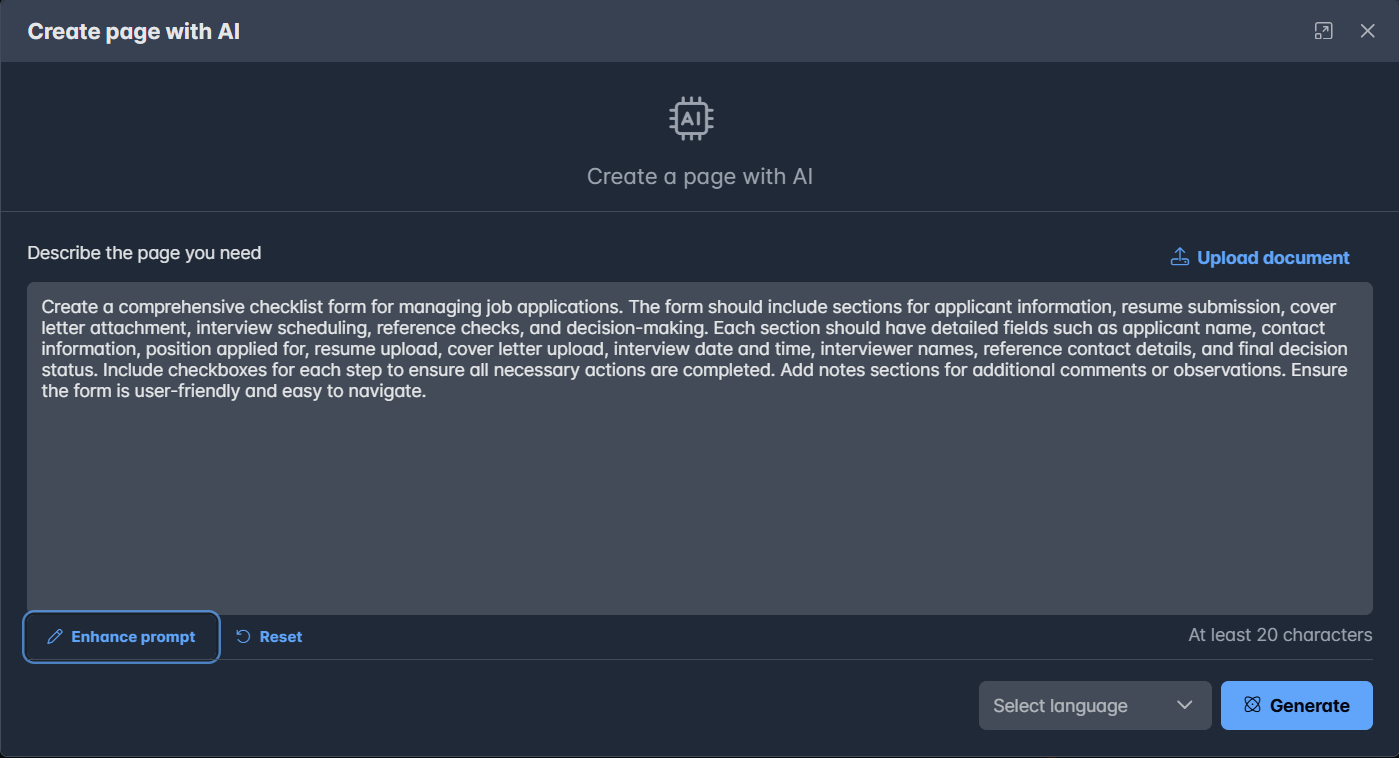 The updated prompt can be changed
Bug fixes
- Fix: document generation does not render images