Appearance
Release notes - 4 October 2024
New features
Scores & Score calculator
Scores have been added. This allows questions to be weighted and the result to be controlled. This applies to the icadot lists such as radio sets and checkboxes. An extra option has been added for this called 'Score' where the weight, the standard score and the score of the choice made can be configured. 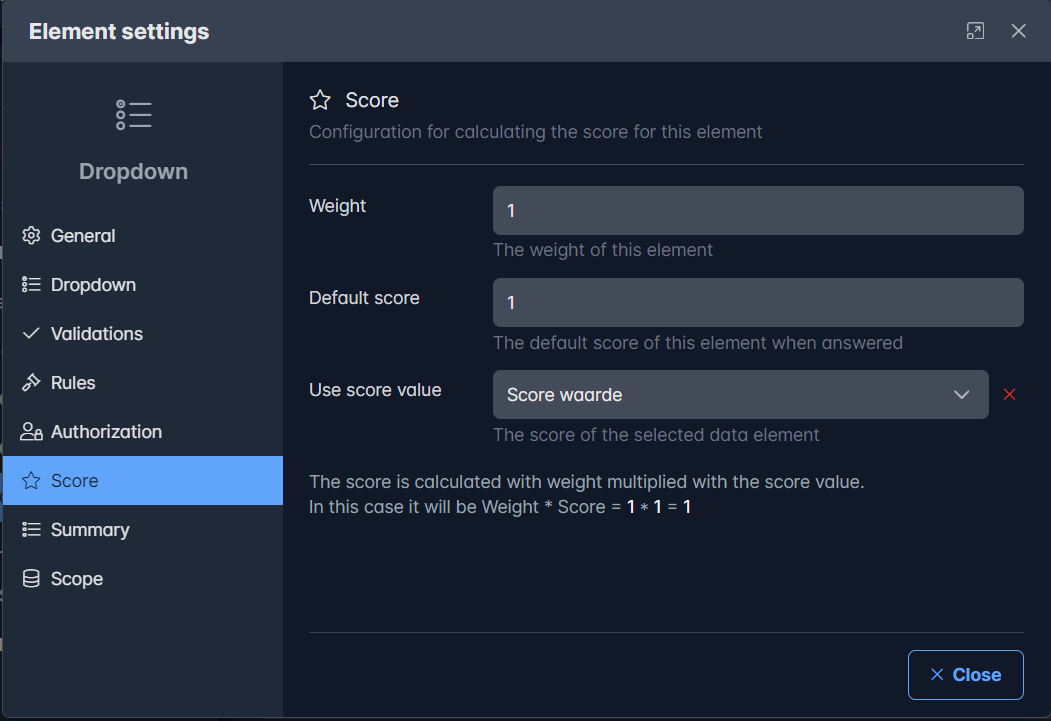
In the new element 'Score calculator' the scores are calculated and presented as progress bar, gauge and/or table. This can be done for all questions but also for a subset such as all questions in a container. In the Score calculator the score, the maximum score and the average score are calculated per question. The average score can be used in the rules to send. 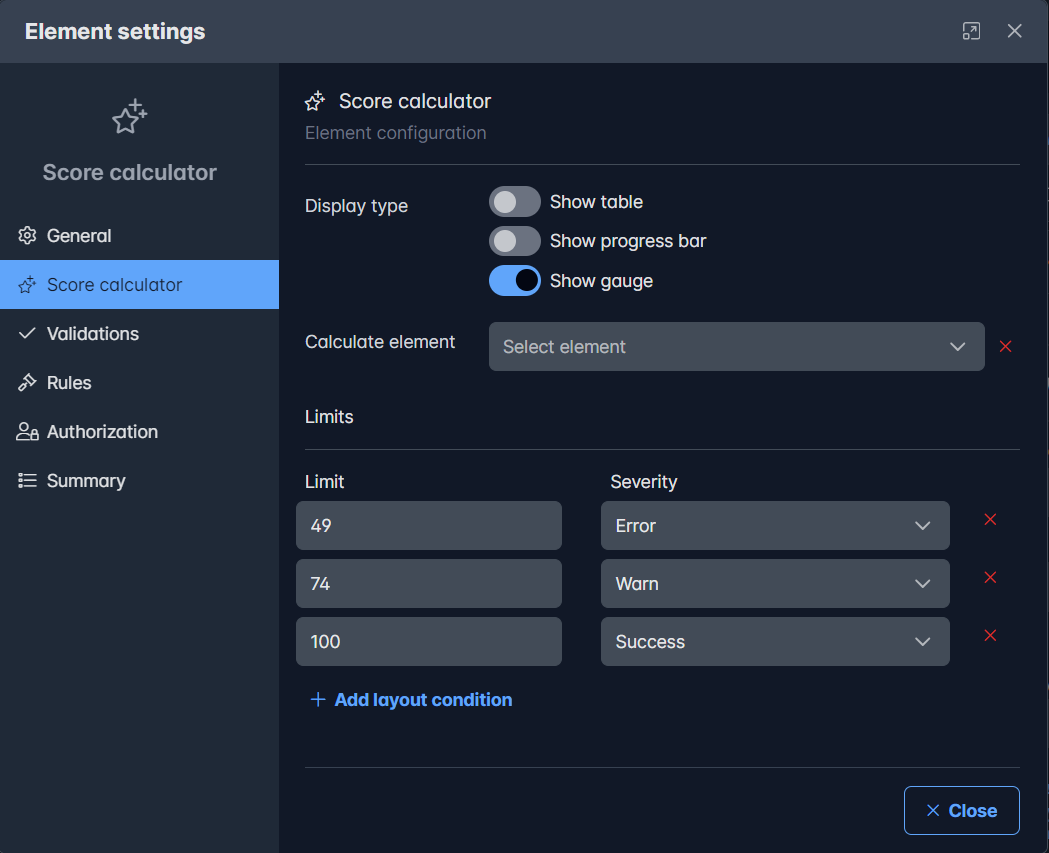
When executed, the score could be shown like this: 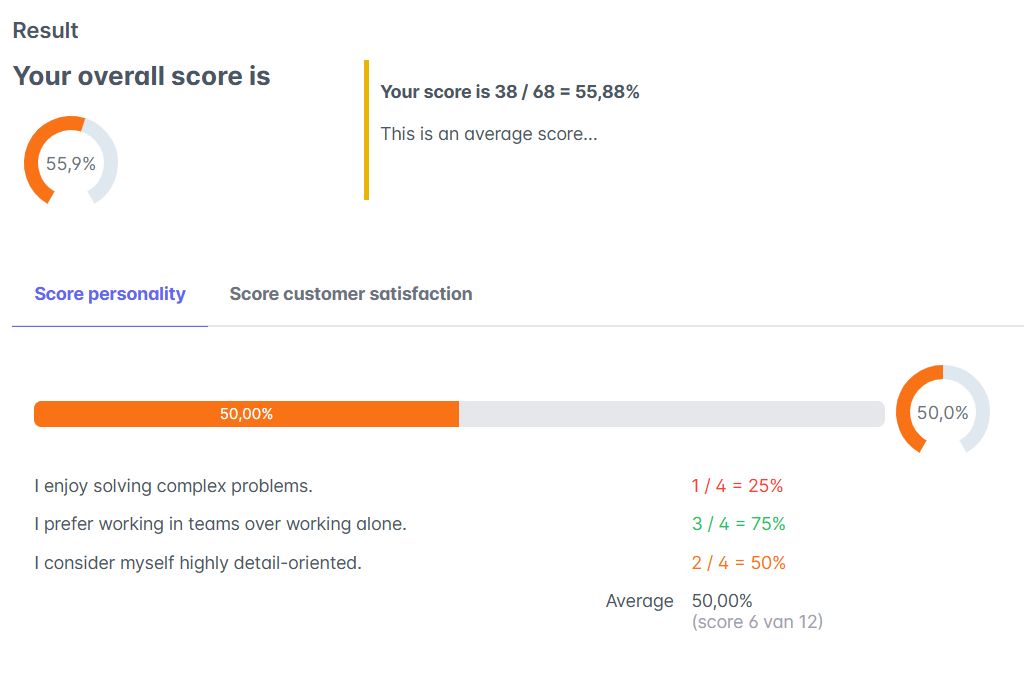
There are two score components (personality and satisfaction). The total of both determines the overall score. In the tabs the score details can be viewed
Steps to use scores:
- Create a list with a numeric element to record the score (for this you can use the option 'List with score' in 'New page')
- Create a new radio set question and link the list to this question
- Go to the 'Score' section in the properties and link the numeric element from step 1 for the score calculation
Showing the scores:
- Drag the 'Score calculator' element into the page
- Optionally, this can be configured for presentation, what to count and limit for color scheme
Setting page parameters
Using interactive actions (like buttons, table clicks and so on) you can now directly set page values and not need to use the page parameters. This makes it easier to set values on the page to be started.
Solved issues
Several known issues are solved. More detailed information will follow in the next release notes.