Appearance
Release notes - December 18, 2025
Two-Factor Authentication (2FA) Added
Two-Factor Authentication (2FA) has been added to Icadot. This allows you to configure per solution whether 2FA is required for access. When enabled, users must use an authenticator (such as an authenticator app) in addition to their email address and password.
For existing users, once 2FA is enabled, an additional setup step will appear after entering their email and password. Users will be guided through configuring their authenticator by scanning a QR code and verifying the generated code. 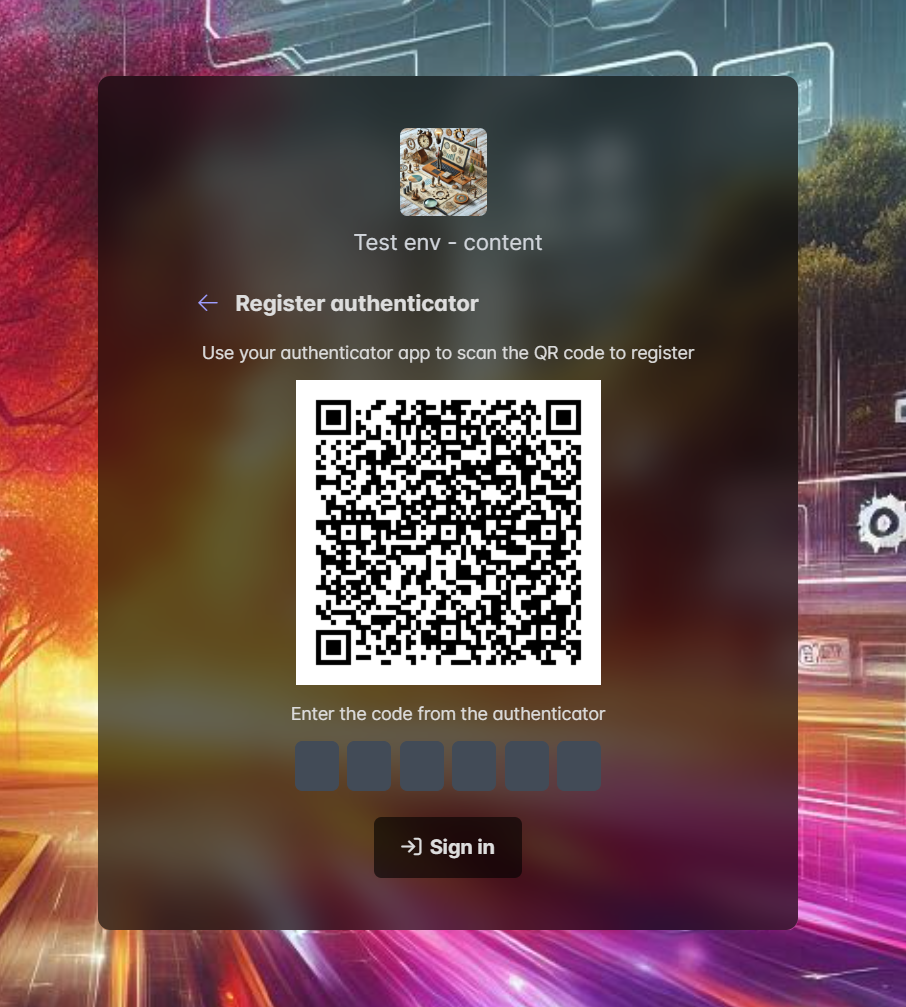
For new solutions, Two-Factor Authentication is enabled by default. It can be disabled if required via Studio > Settings > Solution > Authentication.
Two-Factor Authentication Required for Icadot Studio
Starting January 1, 2026, Two-Factor Authentication (2FA) will be enabled for the Icadot Studio. All users will be required to use an authenticator in order to access the Studio.
Remember Me Option
When the Remember Me option is enabled, access will be remembered for 30 days. After this period, users will be required to sign in again.
If the Remember Me option is not enabled, access will remain valid for 8 hours without requiring re-authentication.
When a user signs out, they will always be required to sign in again, regardless of the Remember Me setting.
Improvements
- Added the ability to delete items directly from the popup
- Added the option to toggle edit mode within the popup
- When no change date is available, the creation date is now displayed instead