Appearance
Release notes - January 21, 2025
New features
Added: Data view
The data view functions like a table but displays information in card format, organized into one or multiple columns.
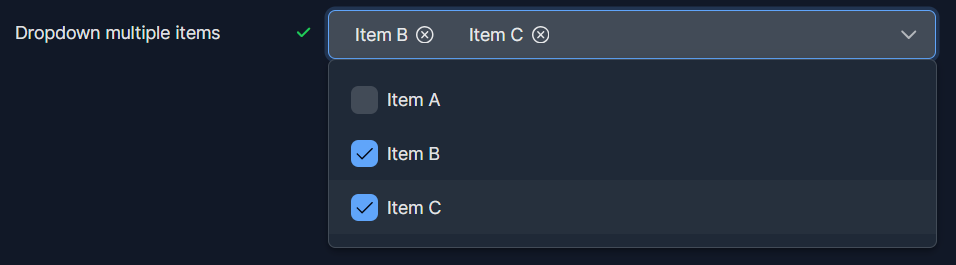
Added: Multiple select dropdown
The multiple-select feature has been enhanced with a new option: Dropdown.
Added: Default theme for the complete solution
On the solution settings, a default theme can be set. This theme will be used for all executed pages will.
Added: Score calculation options
Calculate option added for calculating only the highest on a multiple choice element
Added: Progress counter on specific elements
On the progress counter, you can optionally add an element that the counter should track.
Added: Page autosave
Pages can be auto saved. This is usefull for executing pages in a context, like inviting respondents to fill in a form. The data will be saved after every answer.
Added: Page information
To see how many elements are a information tab is available on every page. Navigate on a page to Extra > Page settings > Information 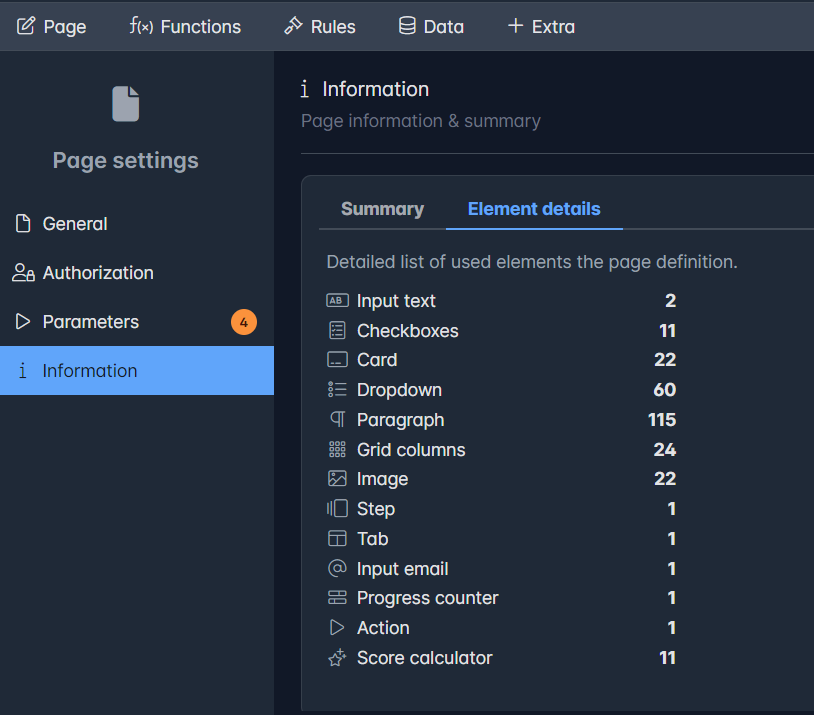
Added: Direct edit the list for single and multiple elements
When creating a new single-choice or multiple-choice element, you can directly create and manage the list data within the element's properties.
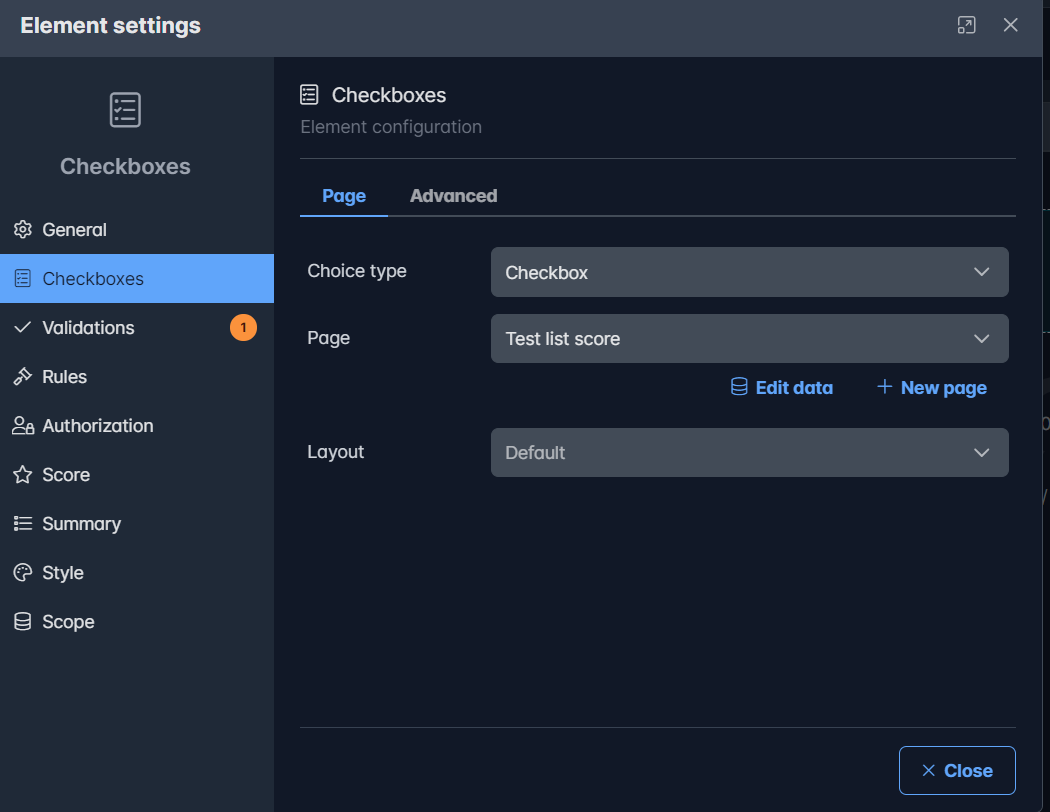
The Edit data can be used to edit the current list. The New page creates a new list.
Added: Feature flags
We added feature flags for turning on/off some parts of Icadot depending on your subscription.
You can view the allowed and optional features by navigating to Menu > Settings > Solution Settings > Information. 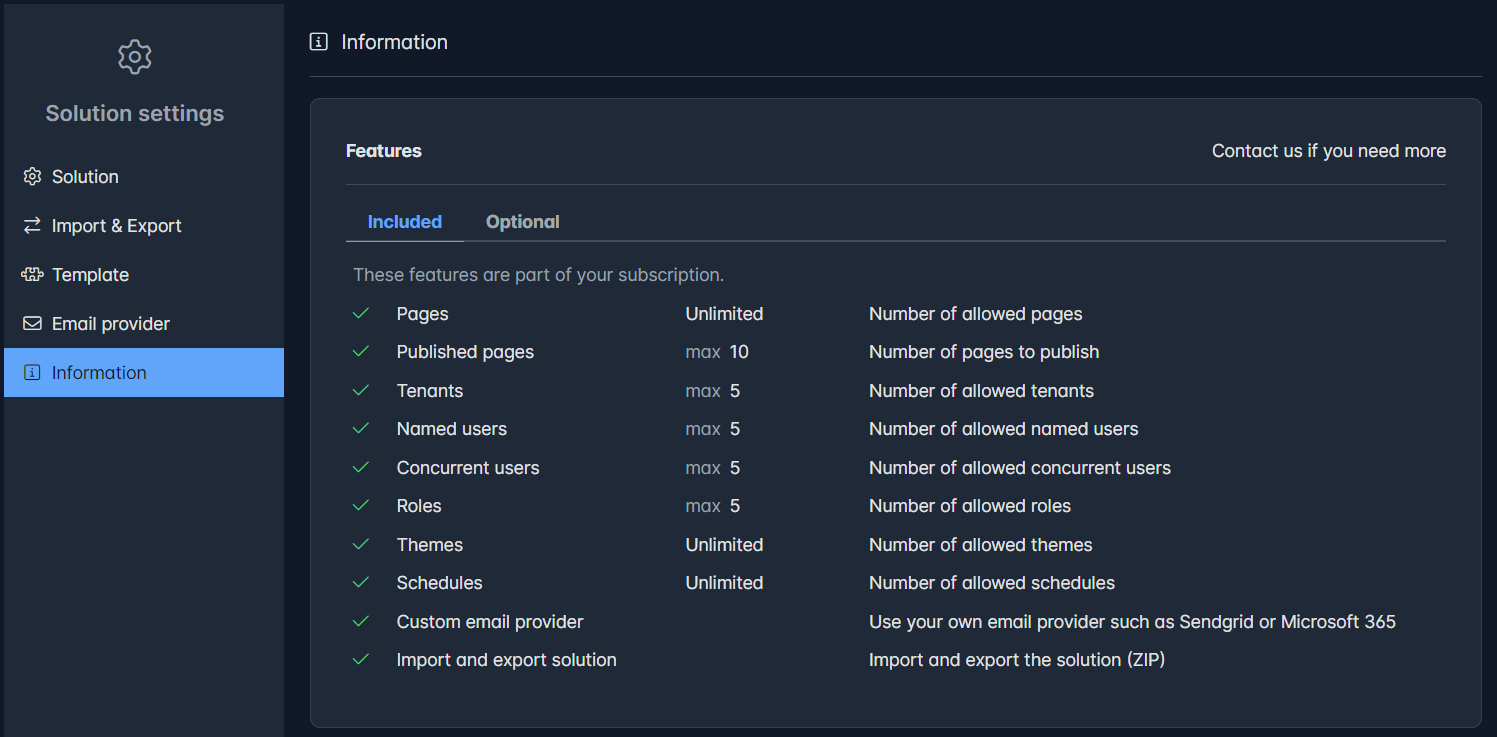
Changed features
Changed: Single choice buttons
The button option design has been updated to support long text, ensuring proper alignment and readability. Additionally, selected options are now marked with a check icon for better clarity.
Solved issues
Several known issues are solved.
| # | Issue | Explanation |
|---|---|---|
| # | Drag & Drop | Sometimes, it may not correctly identify the proper insertion point when moving items from other containers. |
| # | Lazy loading | Includes will be lazy loaded when it is become visible for the user |
| # | Table on mobile | Tables on mobile are now responsive: it will be rendered like a compact card on mobile devices |