Appearance
Release notes - March 9, 2026
Import solution information
Importing solutions is now clearer and more transparent. When importing a solution or using the “My Customer” feature, a dedicated upload window will guide you through the process. After uploading the file, Icadot now provides a preview of all changes that will be applied to the solution, including any data that will be copied. This gives you better insight and control before completing the import. 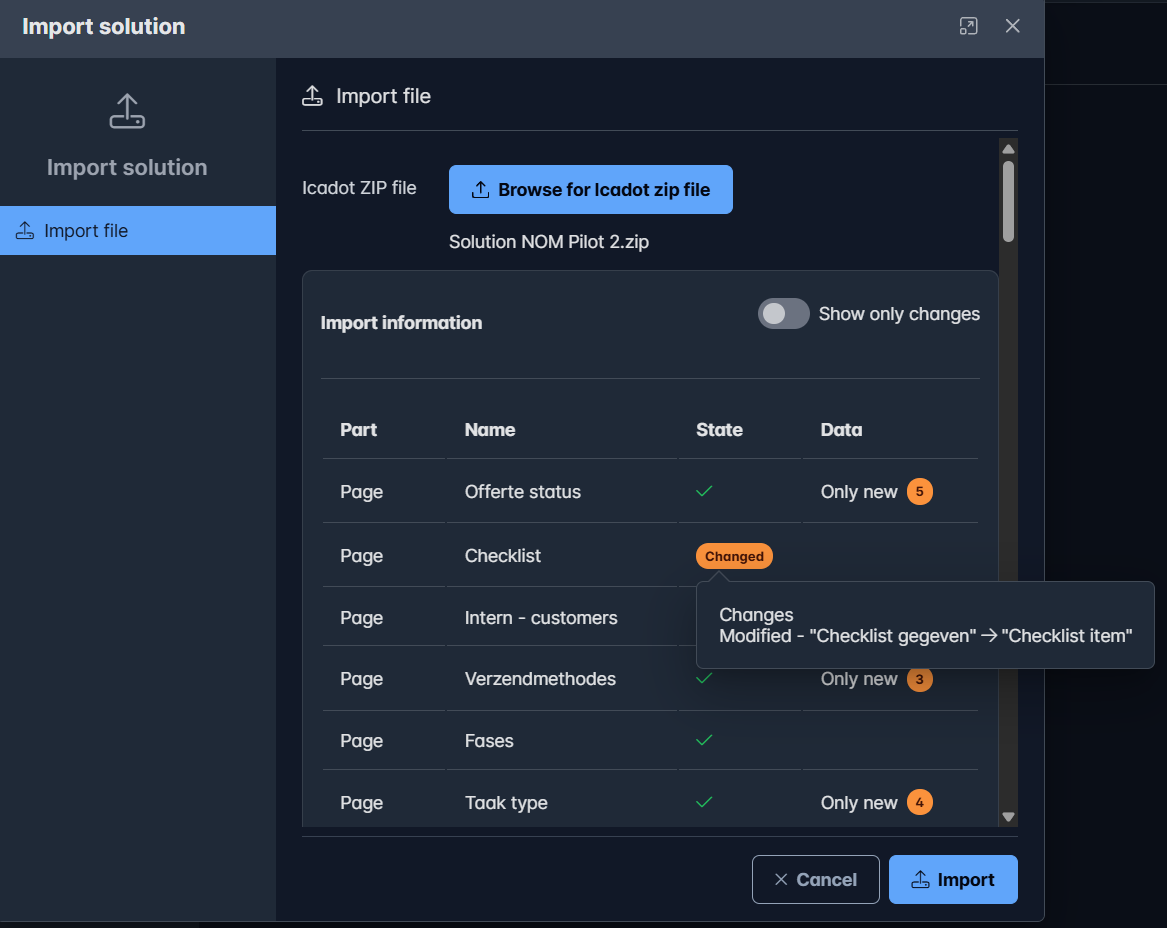
- All Icadot components that will be imported are listed.
- Each part shows its State:
- Checkmark – the existing part will remain unchanged
- Changed – the existing part will be updated
- New – a new part will be added
- The Data column shows if data will be copied and how many items:
- Only new – only new data will be added; existing data remains unchanged
- Always – all data will be replaced with the imported data
Data Table – Filter Period by Change Date
A new option has been added to allow filtering data by creation date or change date when searching within a period.
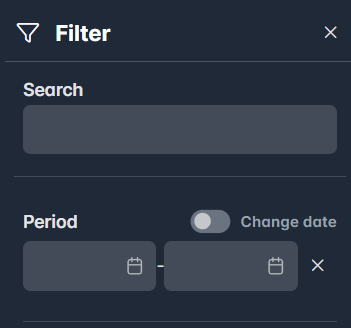
You can now switch the filter to Change date, which will search records based on their last modified date instead of their creation date.
Fixes
- Fixed an issue where exporting data from tables did not include all records.
- Fixed an issue where the export did not include creation and last modified dates on the Score tab.
- Fixed an issue where the HTML layout editor did not respect the configured maximum length.